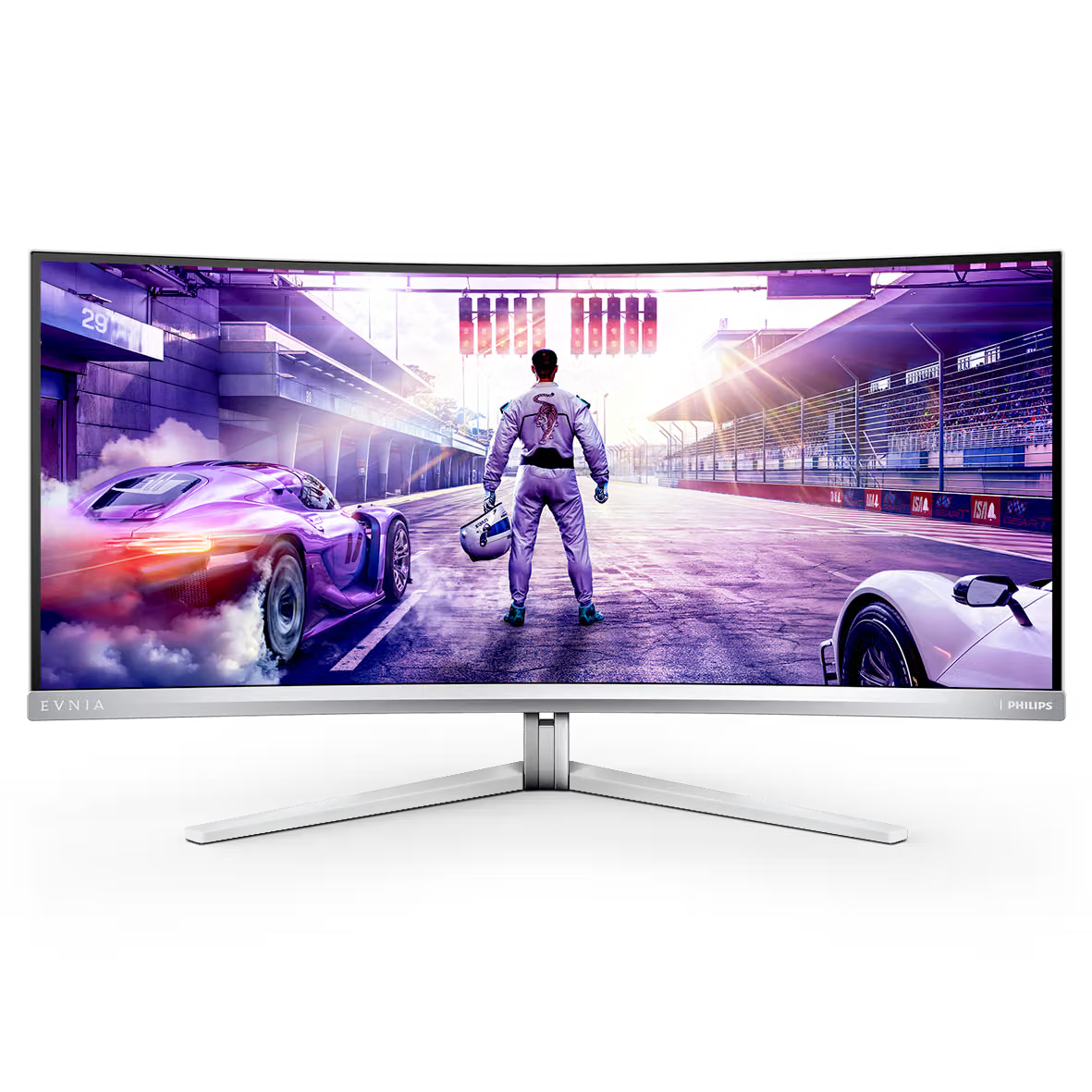
Choosing a gaming monitor involves more than comparing refresh rates, screen sizes, or product prices. The right decision begins with understanding how a display fits into a user’s gaming habits, desktop environment, and visual preferences. Evnia offers a gaming monitor range worth evaluating through these practical considerations. By examining display characteristics, ergonomic requirements, connectivity, and everyday usability, buyers can determine whether the brand aligns with their expectations rather than relying on popularity or marketing claims.
Start With Gaming Habits and Display Priorities
Before selecting Evnia, buyers should identify the games they play most frequently and the experience they expect from a display. Competitive titles often place greater emphasis on motion clarity, refresh rate, and responsive controls, while role-playing games, simulations, and cinematic adventures may benefit more from immersive screen proportions, contrast, and detailed imagery.
Individual priorities should determine which specifications deserve the most attention. A monitor designed for immersive entertainment may not be the most appropriate choice for every competitive setup, just as a display optimized for fast-paced gameplay may not satisfy every user’s preference for cinematic presentation.
Buyers can begin by listing their preferred game genres, typical viewing distance, available desk space, and expected daily usage. This assessment helps narrow the selection before individual models are compared. It also provides a more reliable basis for evaluating Evnia against alternative gaming monitor brands.
Evaluate Image Quality Beyond Resolution
Resolution is only one part of the viewing experience. Buyers should also examine panel technology, contrast, color reproduction, brightness, refresh rate, and response specifications. These characteristics influence how game environments appear, how clearly moving objects can be perceived, and how well a monitor suits different lighting conditions.
The Evnia 34M2C8600C is a useful model to examine when exploring immersive gaming displays. Its product information identifies a curved QD-OLED panel and a 34-inch ultrawide format, providing a concrete starting point for evaluating contrast, color presentation, and screen proportions. Buyers should consult the official specifications for the exact model before making comparisons.
QD-OLED technology combines quantum-dot color conversion with OLED’s self-emissive pixels. This design can support deep blacks and strong color performance, although the final viewing experience also depends on content, settings, ambient lighting, and individual preferences.
These characteristics should be assessed against actual usage rather than assuming that one panel technology is universally superior. Evnia becomes a more suitable option when its available display features correspond to the visual qualities a buyer values most.
Consider Screen Shape, Space, and Comfort
Screen dimensions affect more than the amount of visible content. They influence desk layout, viewing distance, peripheral awareness, and the physical space required for a complete gaming setup. Ultrawide displays can provide a broader field of view in supported games, while their additional width may also require adjustments to desk placement and viewing habits.
When evaluating Evnia, buyers should check the monitor’s dimensions, curvature, stand footprint, and mounting compatibility. A curved ultrawide screen may create a more encompassing viewing arrangement, but its suitability depends on the user’s seating position, available space, and preferred game types.
Ergonomics deserves equal consideration. Buyers should verify which adjustments the selected model supports, including height, tilt, swivel, or alternative mounting options where applicable. A monitor that fits comfortably into the user’s working position is more practical for extended gaming sessions and mixed-use environments.
Buyers should also consider how the display performs outside gaming. Users who alternate between entertainment, browsing, and productivity may value screen space differently from those who primarily play full-screen games. These practical details help determine whether Evnia fits an entire desktop routine.
Check Connectivity and Long-Term Practicality
A gaming monitor should work with the devices a buyer already owns and those they may use later. Buyers should review the available video inputs, USB connectivity, audio options, and any supported device-charging functions rather than assuming every model includes the same features.
Compatibility depends on the complete system. A monitor’s maximum refresh rate or resolution may require a suitable graphics card, connection standard, cable, and software configuration. Console users should separately confirm support for their console’s output formats and the features they intend to use.
For Evnia, buyers should consult the official product specification sheet and user documentation before purchasing. The 34M2C8600C product page provides a model-specific reference, helping distinguish verified capabilities from assumptions based on the brand name or appearance.
Long-term ownership also involves maintenance, warranty terms, regional service availability, and the intended usage environment. OLED displays can require additional consideration regarding static images and manufacturer-recommended panel-care features. Reviewing the applicable guidance allows buyers to make a more informed decision about daily use and ownership expectations.
Compare Total Value With Actual Requirements
Price alone does not establish whether a gaming monitor represents good value. Buyers should compare the features they will regularly use with the costs and limitations associated with each shortlisted model. Paying for capabilities that do not support their habits may offer little practical benefit, while choosing a display without an essential feature can create compromises that become apparent after installation.
A structured comparison can help buyers assess Evnia alongside other options. They can record the panel type, resolution, refresh rate, response specifications, screen format, connectivity, ergonomic adjustments, warranty conditions, and current local pricing. Manufacturer specifications should be distinguished from independent test results and user reports.
The balance between gaming and general computer use also deserves attention. A display used for work during the day and entertainment at night may justify different priorities from a dedicated competitive gaming setup. By ranking essential features above optional conveniences, buyers can evaluate the overall proposition more consistently.
The final choice should reflect verified specifications, realistic expectations, and the value assigned to the features that will actually be used.
Make an Informed Choice for a Gaming Setup
An evaluation of Evnia should ultimately connect product capabilities with individual requirements. The brand’s gaming monitor portfolio includes different screen formats and panel technologies, allowing buyers to compare options according to their preferred balance of image quality, responsiveness, immersion, and everyday functionality. The 34M2C8600/75, for example, combines QD-OLED technology, an ultrawide display, AMD FreeSync Premium Pro, and Ambiglow lighting. These features provide specific points of comparison rather than a reason to assume that one model suits every player.
Buyers should review the official specifications, confirm compatibility with their equipment, and consider the available warranty and regional support before making a purchase. By approaching the decision systematically, they can identify whether the brand’s design priorities match their expectations and whether a particular model offers the functions they need.
Exploring the official Evnia gaming monitor range allows buyers to compare verified features, examine available models, and identify a display that fits their gaming preferences and desktop setup.
